Home › Guides › Shopee product photos for 11.11
How to Make Shopee Product Photos That Sell for 11.11
During 11.11, shoppers scroll through hundreds of near-identical listings. Your cover photo is the first thing they judge. The good news: Shopee publishes exactly what it wants, and most of it is free to do with a phone. Here's the checklist we use, based on Shopee PH's own Seller Education Hub.
Shopee's official image rules (summary)
| Rule | What Shopee says |
|---|---|
| Cover ratio and size | 1:1, minimum 500×500 px, minimum 72 dpi; don't distort proportions |
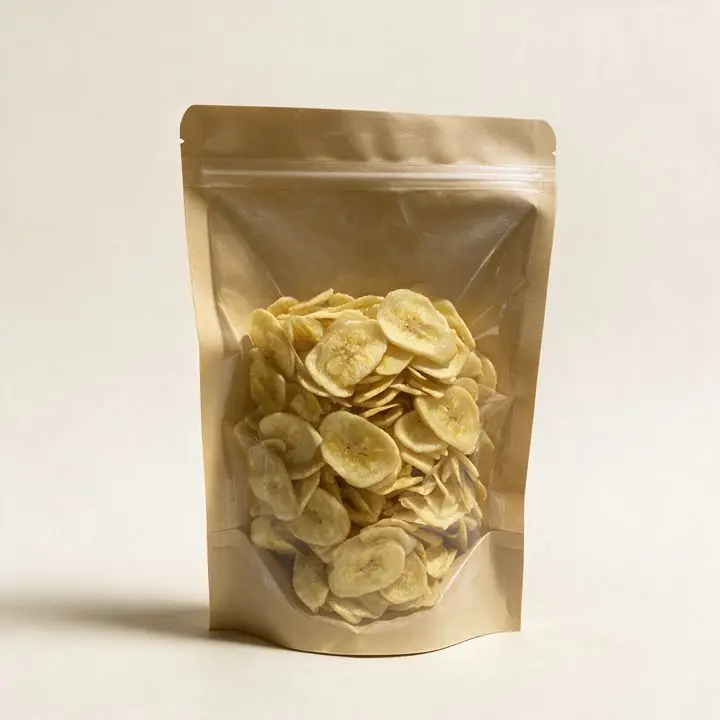
| Cover content | Product clearly shown, preferably unwrapped, well-lit, preferably on white; product covers at least 70% of the image; frontal or 30° angle |
| Avoid on the cover | Text and graphics, other products, zoomed-in or cropped shots |
| How many images | Up to 9 per SKU including the cover, plus variation and size-chart images |
| 3:4 images | Optional and can boost visual space, but 1:1 images are still mandatory first |
| Media Space uploads | JPG/PNG up to 2MB; videos MP4, max 30MB, 10–60 seconds, up to 1280×1280 |
| Regulated products | Upload images showing the PS/ICC sticker where required |
| Copied photos | Images owned by other sellers or sites will be removed |
Step 1: Shoot a clean phone photo
- Light: near a window in the daytime, no direct harsh sun. Turn off the yellow ceiling light so colors stay true.
- Background: a sheet of white bond paper or cartolina curved up a wall works as a mini "infinity" backdrop.
- Angle: straight-on or about 30°, like Shopee recommends. Hold the phone steady or prop it on books.
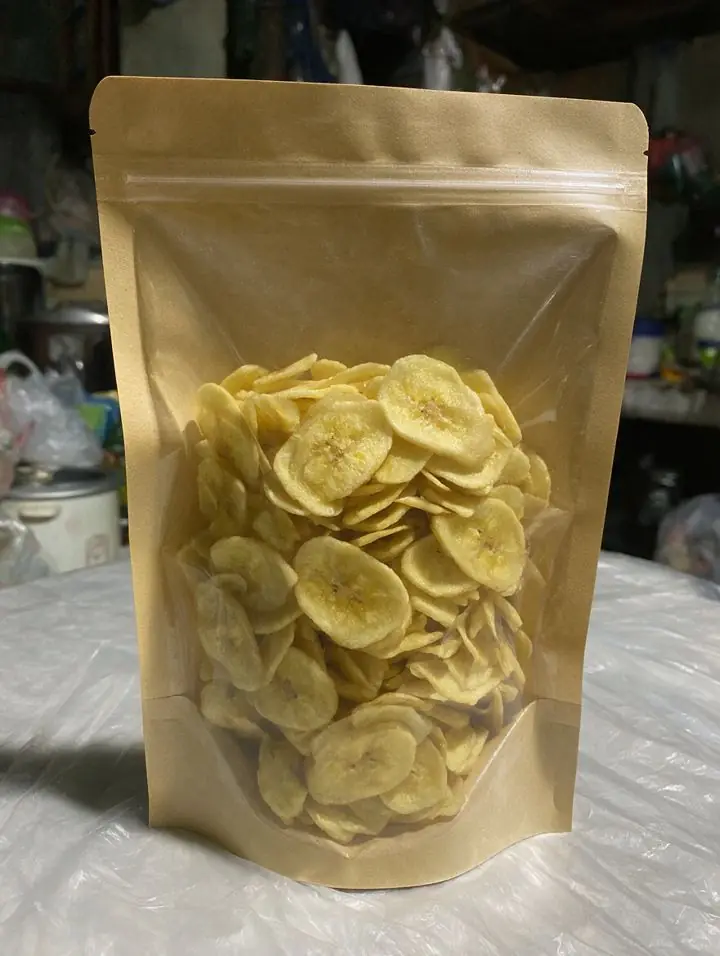
- Fill the frame: the product should take up at least 70% of the square. Leave a little space so it isn't cropped.
- Clean the product: wipe off dust and fingerprints. They show up clearly on a phone camera.
- Take 3–5 angles: front, back (label/ingredients), side, and one "in use" or in-hand shot.
Step 2: Plan your 9 images
Use the slots to answer the questions shoppers would ask in chat. Shopee itself suggests showing different angles, specifications, the product in use, and variations. A simple 11.11 plan:
- Cover: product on white, no text.
- Second angle (back/label).
- Close-up of texture, material or ingredients.
- In-use or lifestyle scene.
- Size reference (in hand, or next to a common object).
- Variations/colors side by side.
- Specs or "what's inside" image with short text.
- Seasonal 11.11 / Pasko image (graphics are fine here, not on the cover).
- Trust image: packaging, delivery, or guarantee.
Step 3: Add a short video
Shopee lets you add a product video. Per the Media Space rules, keep it MP4, 10–60 seconds and under 30MB. Show the product turning, being opened or used. If the video includes AI-generated scenes, say so in your listing or caption. Honesty protects your ratings.
Step 4: Keep it truthful
Editing the background and light is fine. Changing the product is not. Don't make a pouch look bigger, a color look different, or add contents that aren't in the box. It leads to returns and bad reviews, especially during 11.11 volume. Also, never copy photos from another seller or brand; Shopee removes those.
Step 5: Do it early
Shopee PH runs its 11.11 campaign over several days in early November, with the biggest traffic on 11.11 itself. Check your Seller Centre for your own campaign registration deadlines, and have new photos uploaded before then, not on the day.
No time to reshoot? BentaShots PH turns your phone photos into a full set of cover, lifestyle and 11.11-themed images plus short 5–8s video ads in 24 hours. See prices in our product photography price guide.
Want 11.11-ready Shopee photos in 24h?
BentaShots PH turns your phone photos into 10 studio-quality product photos, short 5–8s video ads and Taglish captions, delivered in 24 hours. Packs start at ₱2,999. Money-back guarantee. +2 bonus photos if paid by Thu, Oct 29.
FAQ
What size should Shopee product photos be?
Shopee requires a 1:1 cover image of at least 500×500 pixels and 72 dpi. You can add 3:4 images, but only after uploading the required 1:1 images. Files uploaded via Media Space must be JPG/PNG and no larger than 2MB.
Can I put text or a sale badge on my Shopee cover photo?
Shopee's seller guidelines recommend avoiding text and graphics on the cover image and keeping other products out of it. Put promo graphics on your additional images instead.
How many photos can I upload per Shopee listing?
Up to 9 images per product SKU, including the cover photo, plus extra images for variations and a size chart.
Sources
- Shopee PH Seller Education Hub — Improve your product's images and descriptions
- Shopee PH — Why upload product images in 3:4 ratio?
- Shopee PH — Media Space (file limits)
- Shopee PH — Upload product images with PS/ICC
Prices are as published on each provider's own page when we checked on 24 Oct 2026. They change often, so confirm directly before booking.
Get a free AI sample of your own product
Send your details and we'll make 1 watermarked sample photo of your product, sent within 24 hours. Free, no payment needed.
- Free. No payment, no commitment.
- Watermarked sample sent within 24 hours.
- Your product stays exactly as it is.
Thank you. We got your request.
We'll send your free watermarked sample within 24 hours. To get it faster, message us on Messenger now and send 3–5 clear photos of your product.
Message us on Messenger now to get it faster